
Repen for Mac
Give your agents the design work.
Follow every step in Repen.
Ask Claude Code or Codex for a change and watch it happen on the board. They run on your Mac, on your own plan, and every request can be reviewed or undone.
For Macs with Apple silicon and macOS 13 or later. Sign in with your Repen account.
Repen for Mac installs on a Mac. Send yourself the link and open it there.
Needs a Mac with Apple silicon and macOS 13 or later.
Sign in with your Repen account. No account yet? Join the waitlist.
Or keep using Repen in your browserRepen for Mac needs a Mac with Apple silicon. On Windows and Linux, Repen works fully in your browser.


What it adds
More than Repen
in a window.
The app connects the agents already on your Mac, puts each design in a tab, links designs to their code and captures the app you’re running.
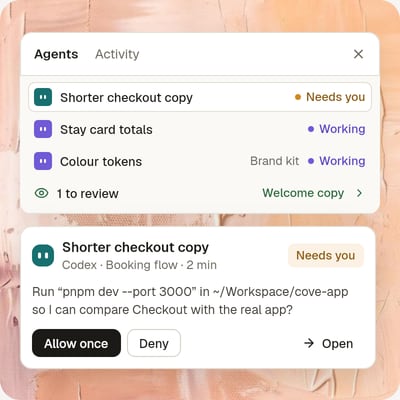
Give tasks, follow them
Ask an agent from the Agents panel. See what needs you, what’s working and what’s ready to review, across every design.

Your agents, already connected
Repen finds Claude Code and Codex on your Mac and connects them the first time you open it. Nothing to install or paste.
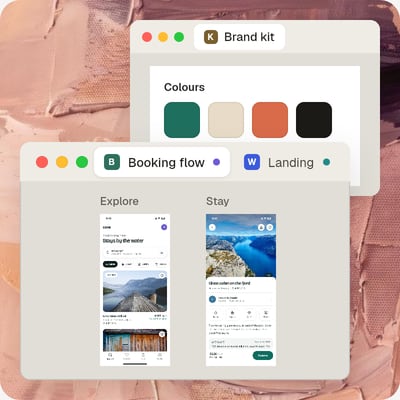
Designs in tabs and windows
Open designs side by side in tabs, or give one its own window. They’re all back the next time you open Repen.
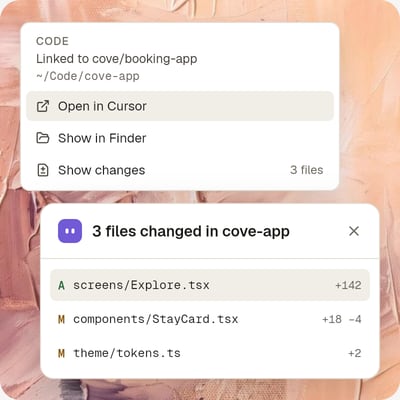
Linked to your code
Link a design to its code folder. Open it in Cursor, VS Code or Finder, and see the files an agent changed.
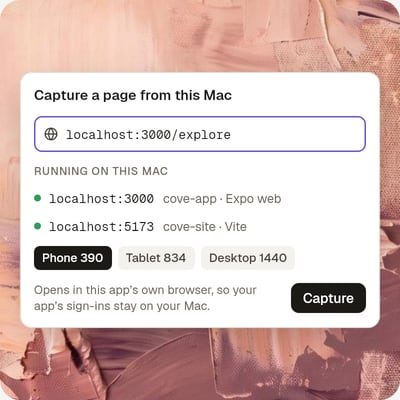
Capture what’s running
Bring a page running on localhost into a board, at phone, tablet or desktop size, and compare it with the design.
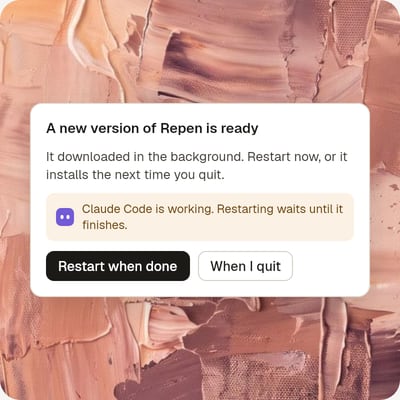
Always up to date
Repen updates itself in the background, and waits for your agents to finish before it restarts.


Install
Three steps, about a minute.
- 1
Open the file you downloaded.
It’s called Repen.dmg and is in your Downloads folder.
- 2
Drag Repen to Applications.
The window that opens shows both. Drop the icon on the folder.
- 3
Open Repen and sign in.
It opens your browser to sign in, then brings you back. Claude Code and Codex are connected on the way.
Questions
Before you download.
- Does it work on an Intel Mac?
- No. Repen for Mac needs a Mac with Apple silicon (M1 or later) and macOS 13 or later. On an Intel Mac, use Repen in your browser.
- What about Windows and Linux?
- There’s no app for them. Repen works fully in your browser on any computer.
- Do I need an account?
- Yes. You sign in with your Repen account. Repen is in private beta, so if you don’t have one yet, join the waitlist.
- Do agents cost extra?
- No. Claude Code and Codex run on your Mac with the plan you already have. Repen doesn’t sell credits for agent work.
- Is it the same Repen as in the browser?
- Yes. The same designs, comments and team, live. What you change in the app shows up in the browser at once, and the other way round.
- What does it change on my Mac?
- It adds Repen to the settings of Claude Code and Codex, so they can open your designs. Disconnect this Mac in Settings takes it out again.
- How do updates work?
- New versions download in the background. When one is ready, click Update to restart into it, or let it install the next time you quit.
Better design, faster.
With the agents you already pay for.
Claude Code and Codex on your Mac, on your own plan, working in the same live file as your team.